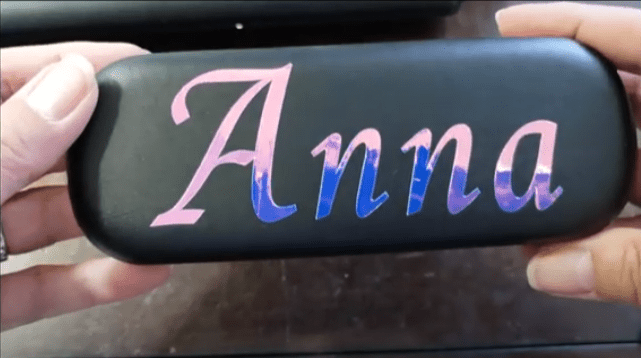
How to use Holographic Vinyl
When I first saw how many eye catching creations that people were ising with holographic vinyl on their electronic device, I was sold.
The vinyl could be used for special occasions, seasonal crafts, and a variety of custom projects.
Holographic vinyl can be permanent or temporary. Temporary vinyl can creat easily removable decals. Which allows you to personalized decor for all occasions.
For this project I will be using a permanent cricut holographic vinyl.
Designing the Name
Open Cricut Design Space. Type the wording details that you would like to cut on your vinyl cutting machine. I will be using my Cricut machine for this entire design. The font that I used is Quill St Reg. You need to search for the right font if the name starts with an “A” because many of the cricut fonts make the larger “A” into a smaller case “a”.
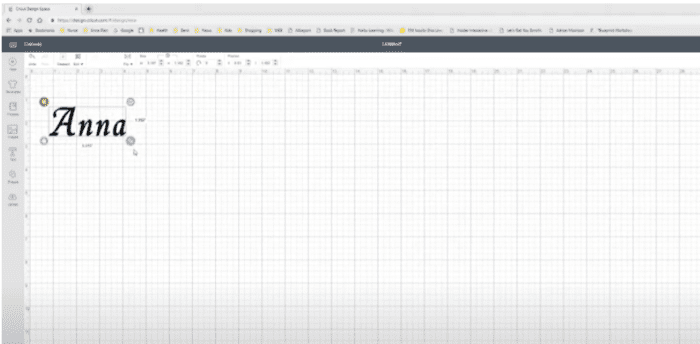
Resize to the size you want to apply. As the saying goes “Measure Twice, Cut Once.” DO NOT MIRROR this cut.
Cutting Holographic Vinyl
Place the holographic vinyl on the cutting mat with the holographic side up on the mat. Quickly review the settings and tap the cut button on your Cricut machine.
Once the design is cut, remove and prepare to weed.
Weeding Holographic Vinyl
For me, I find it very easy to weed holographic vinyl. The adhesive side is down so you will definately need transfer tape. Since this material is shiny, it can get scratched easily by your weeder tool, so use light pressure when using a weeding tool for the inside of the design on your holographic vinyl.
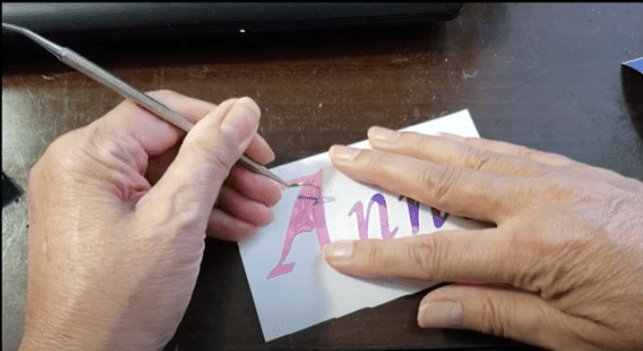
Once your vinyl design is weeded, it is ready for transfer. Carefully apply your transfer tape and gently pull up the holographic vinyl design. It is possible that part of the design may give you difficulity, no problem, just push down again on a surface with the transfer tape and apply more pressure until you can peel the entire design up onto the tape. For this project, I am using cricut transfer tape.
Applying Holographic Vinyl
Grab your crafting project that you want to stick the holographic vinyl image to. Make sure the object is free from dirt and dust as this can affect how the vinyl adheres. Once you find the location, apply the vinyl. Push the design onto object using a scraper. Peel the tape up gently.
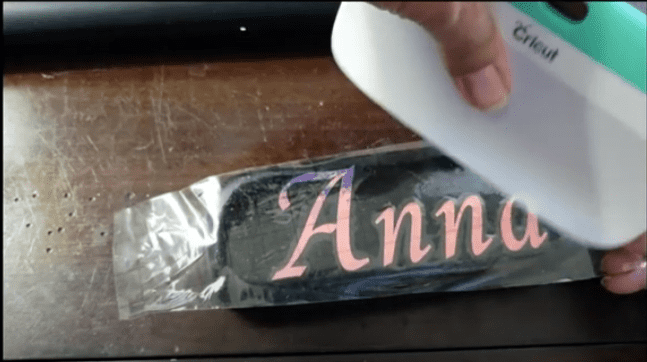
After the holographic vinyl is placed, I will take a clean dry cloth and wipe it down to remove any residue, like fingerprints etc.
If you would like to see a step by step video of this design project, I have made a youtube video of all the steps. Click to see this craft video online.
Holographic vinyl crafts are great projects that anyone can do. They are quick and easy to make with your Cricut machine or other cutting machines.